
AUTOMATIONS STUDIO
FOR ODOO 19
Visual workflow builder + AI chatbot + multi-channel messaging for Odoo
See the full demo in action
DRAG & DROP
Visual flow builder â no code required
MULTI-CHANNEL
Telegram, Discord, Slack & more
AI CHATBOT
Search, view, run automations via chat
APPROVAL
Approve/Reject directly from chat
SCREENSHOTS
See Automations Studio in action
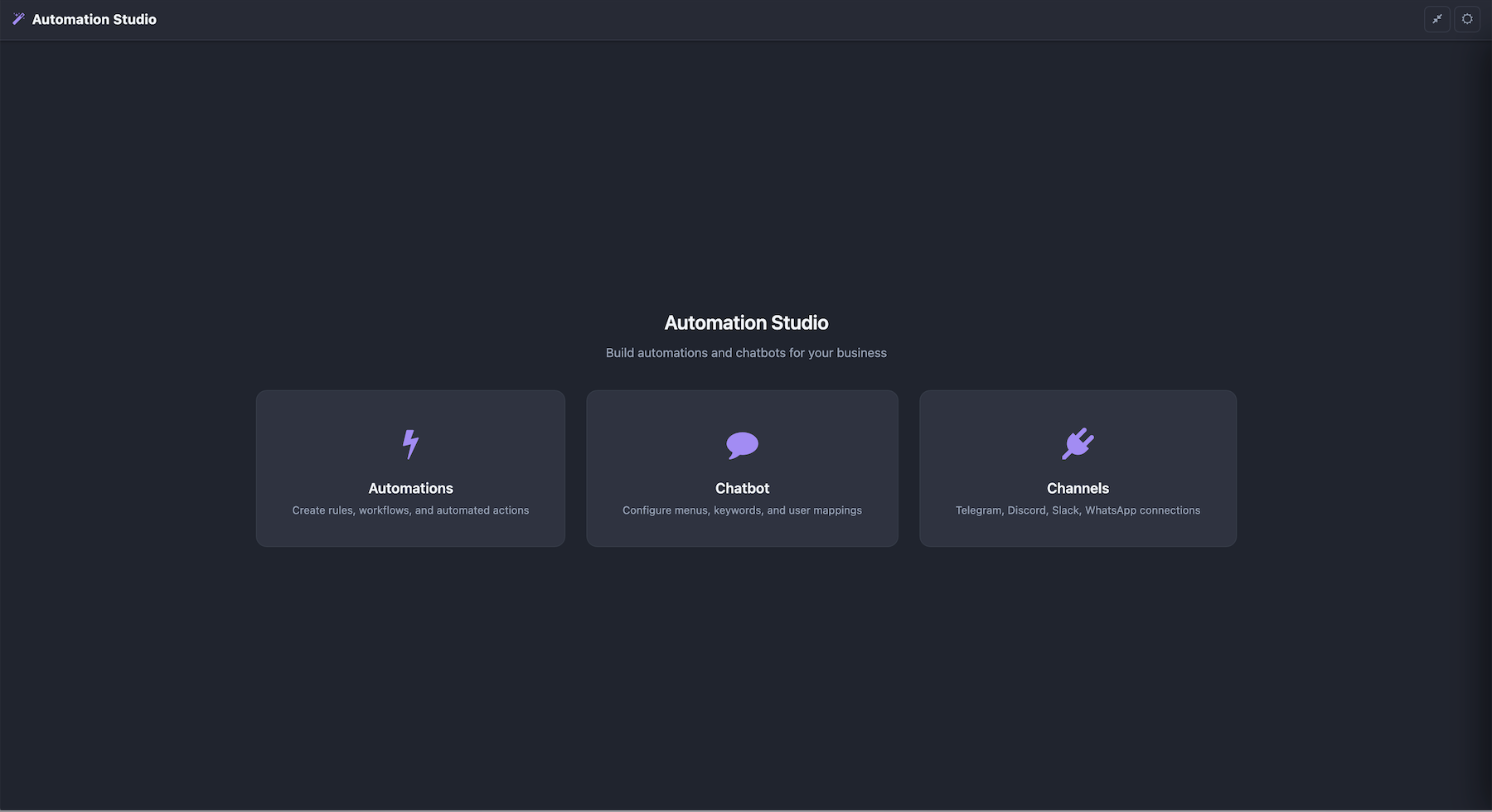
Home — Dashboard & statistics
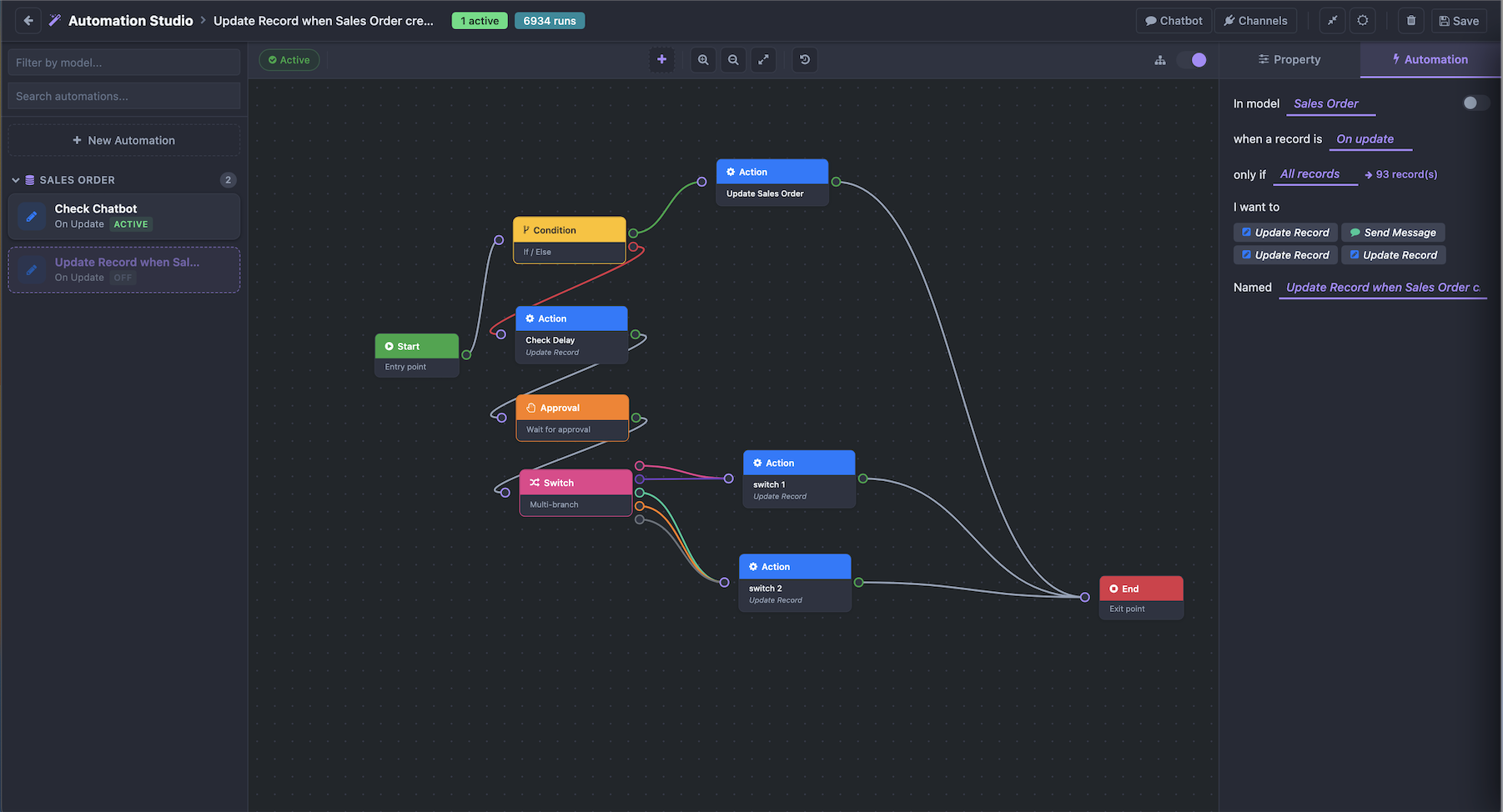
Automations — Visual flow builder
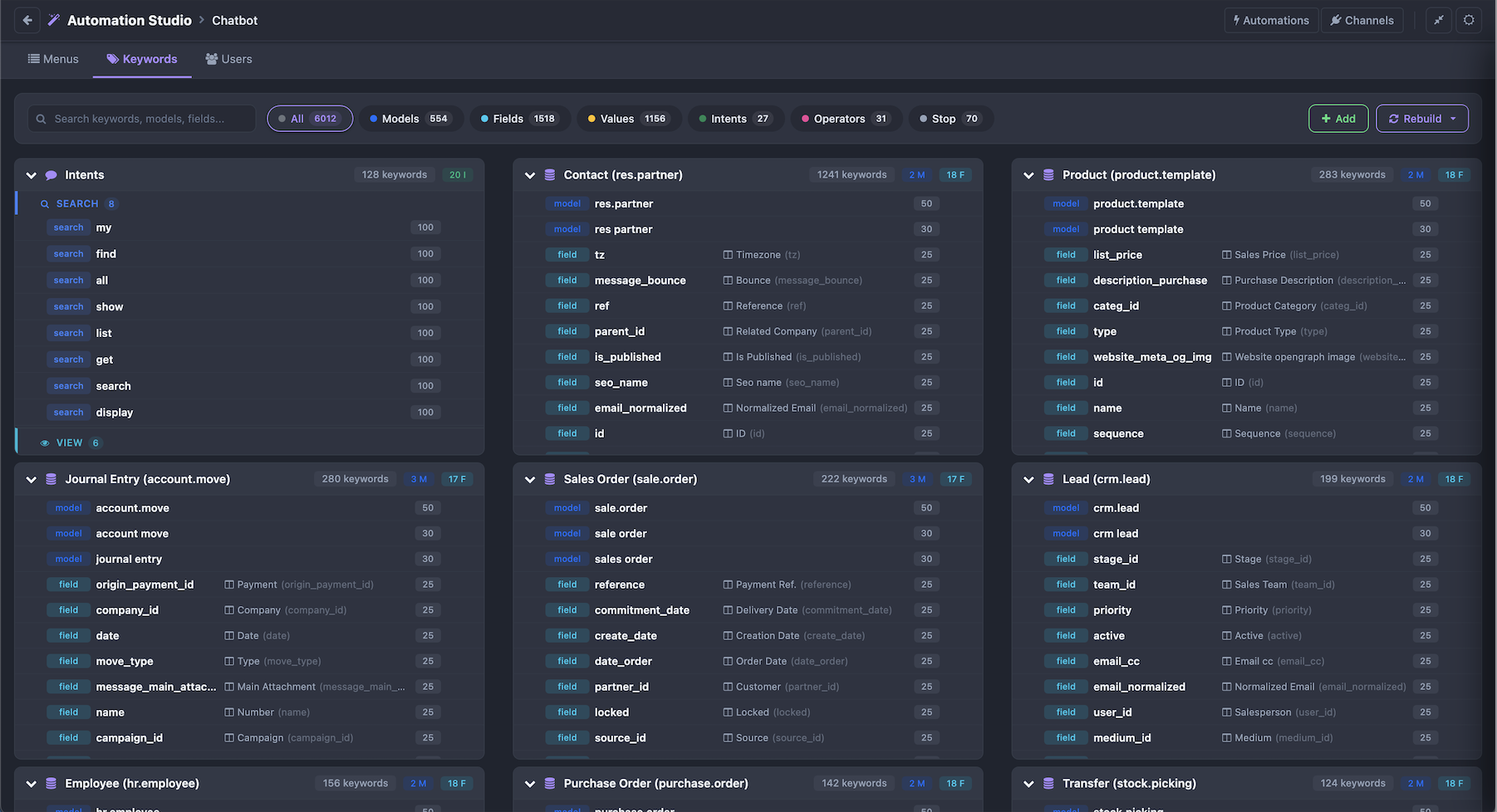
Chatbot — Menus, keywords & users config
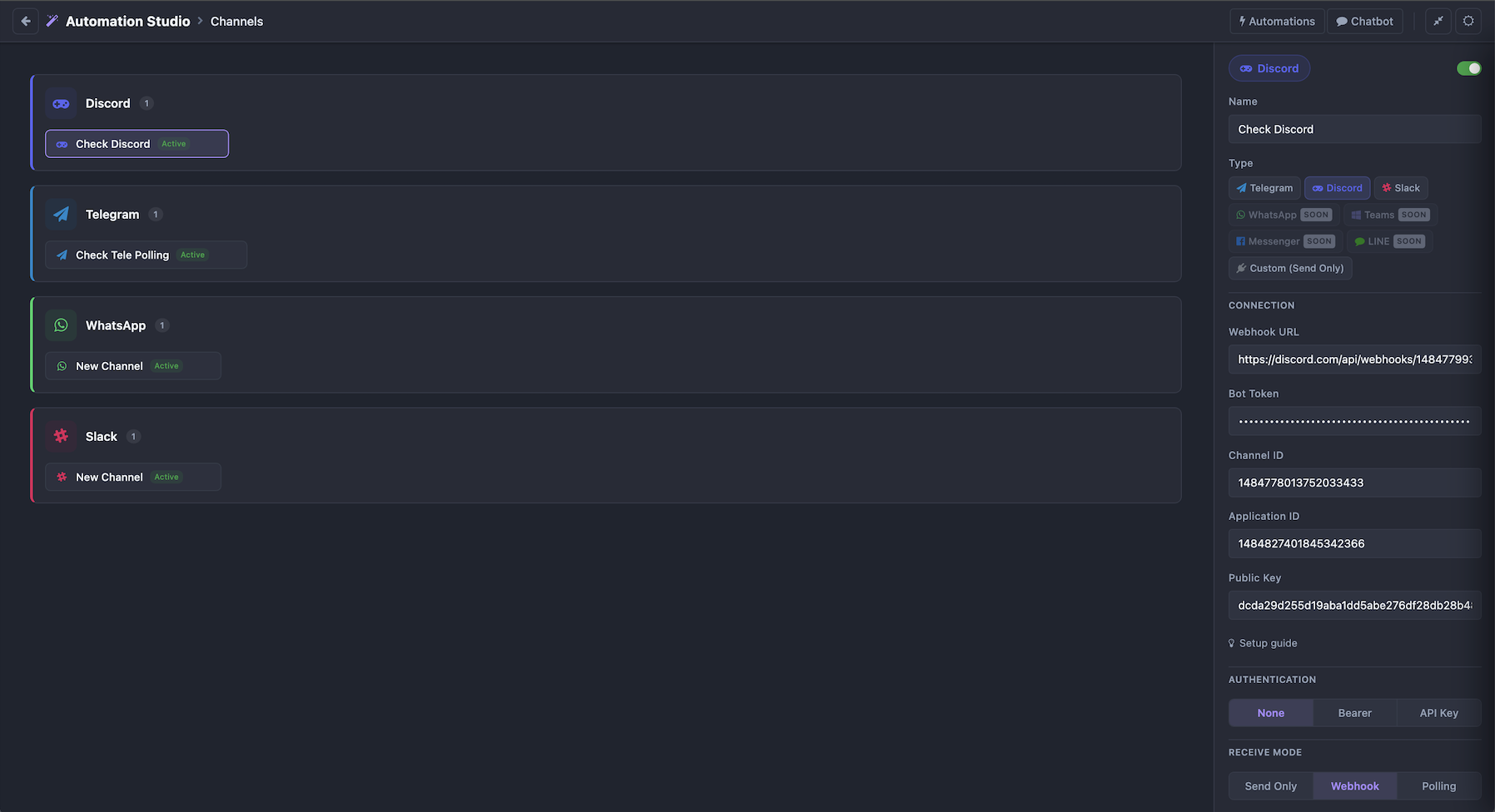
Channels — Multi-platform setup
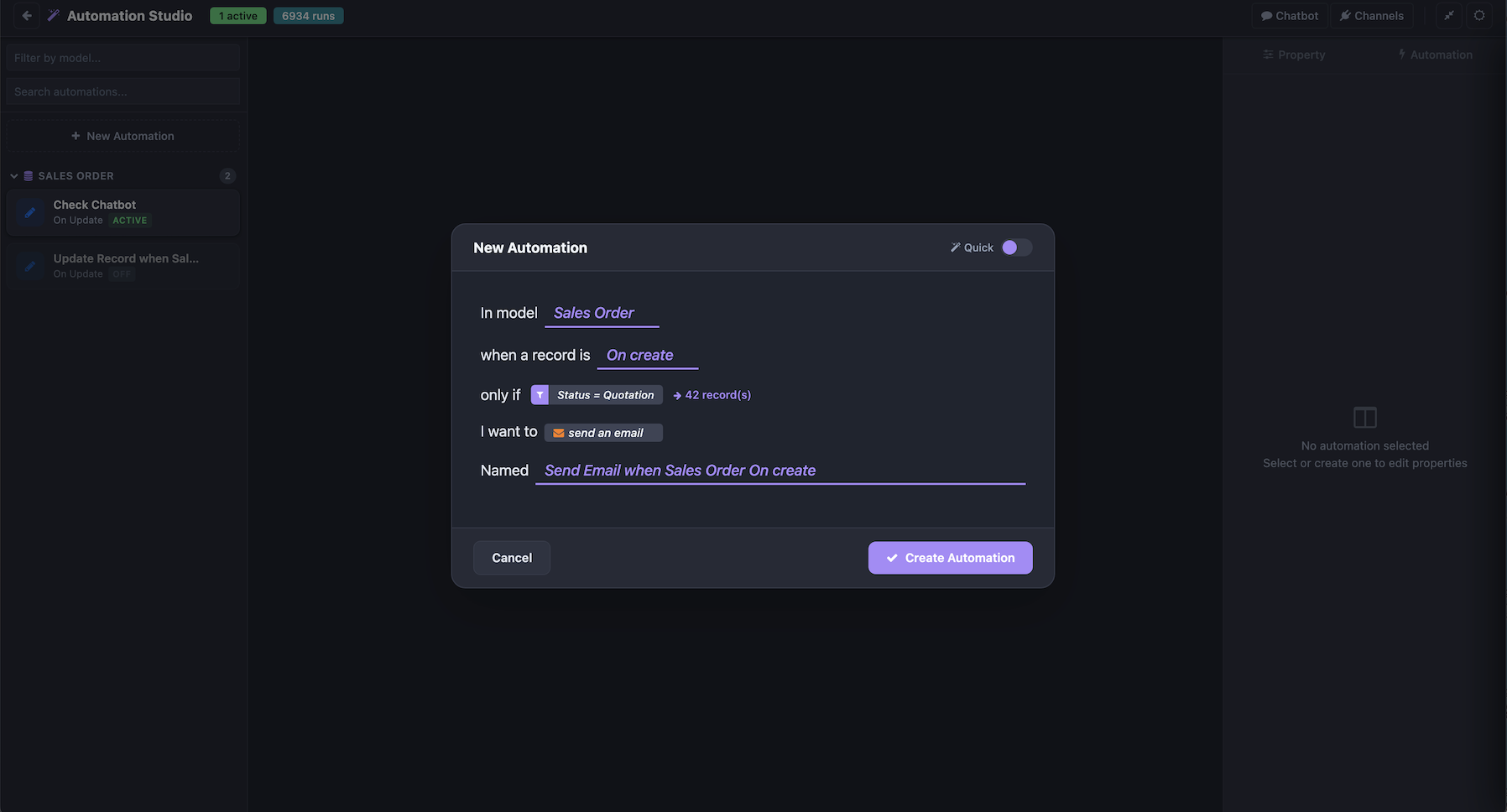
Quick Create — Create automation in seconds
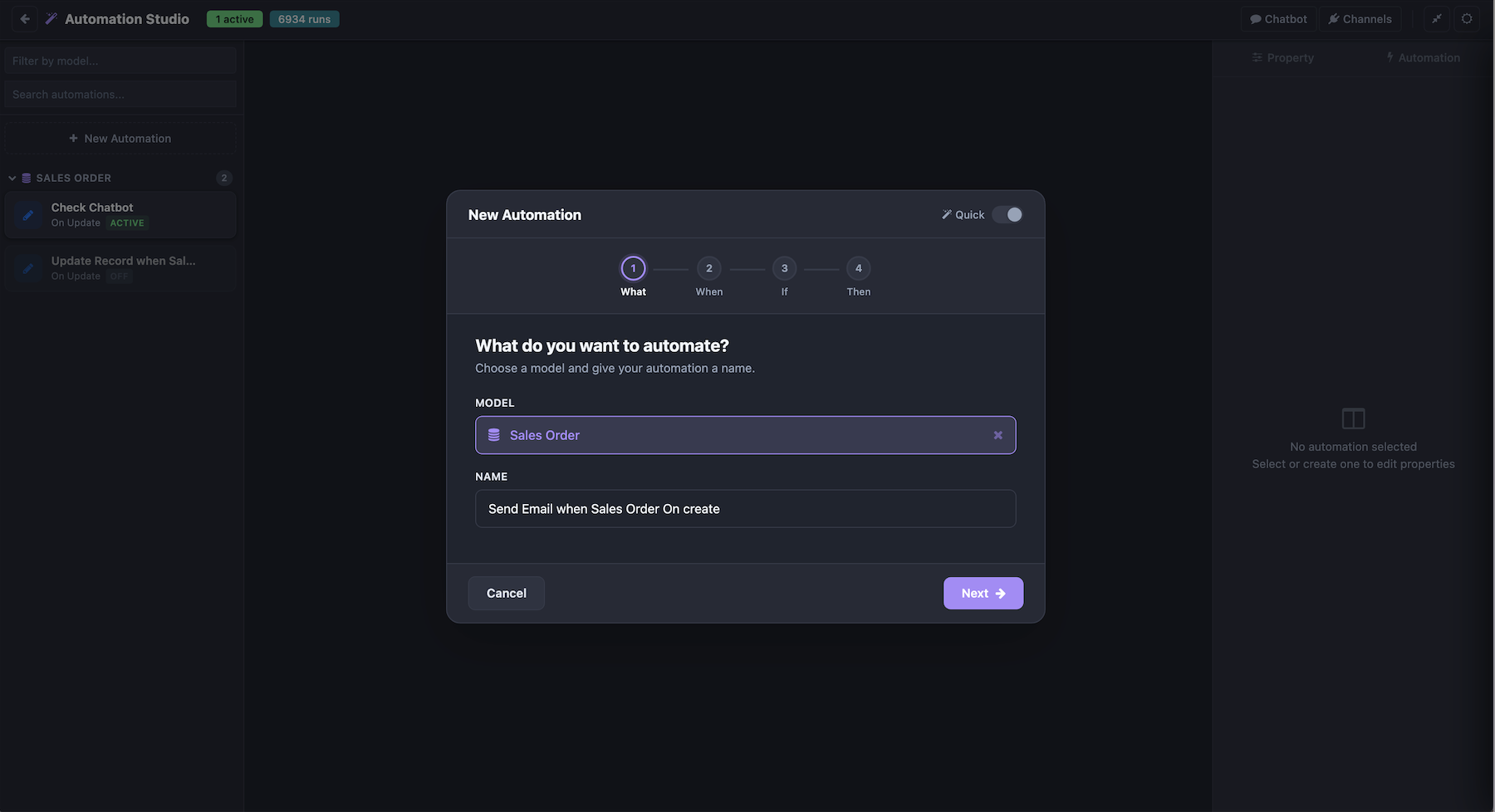
Step Create — Guided automation setup
Chatbot in Action
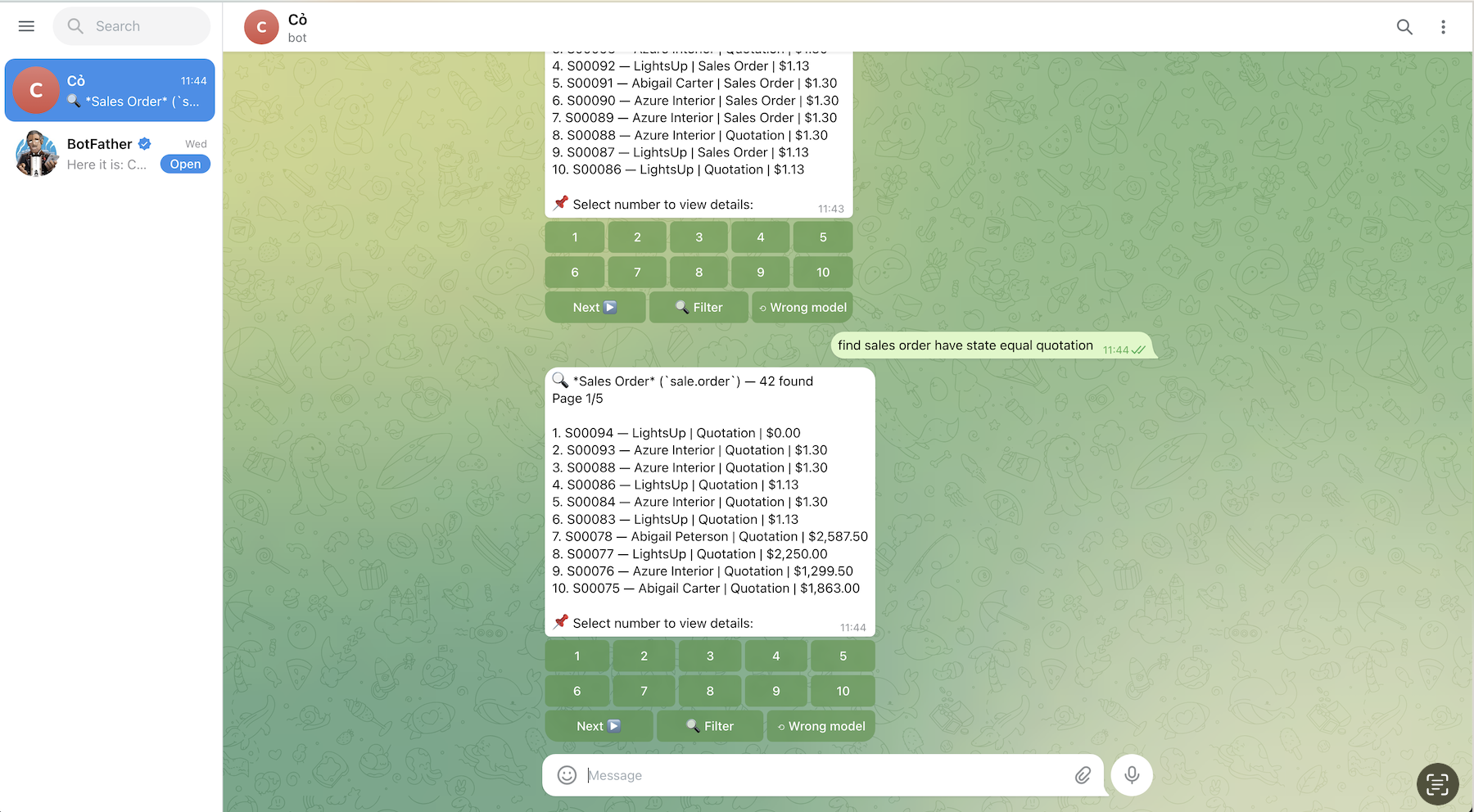
Telegram
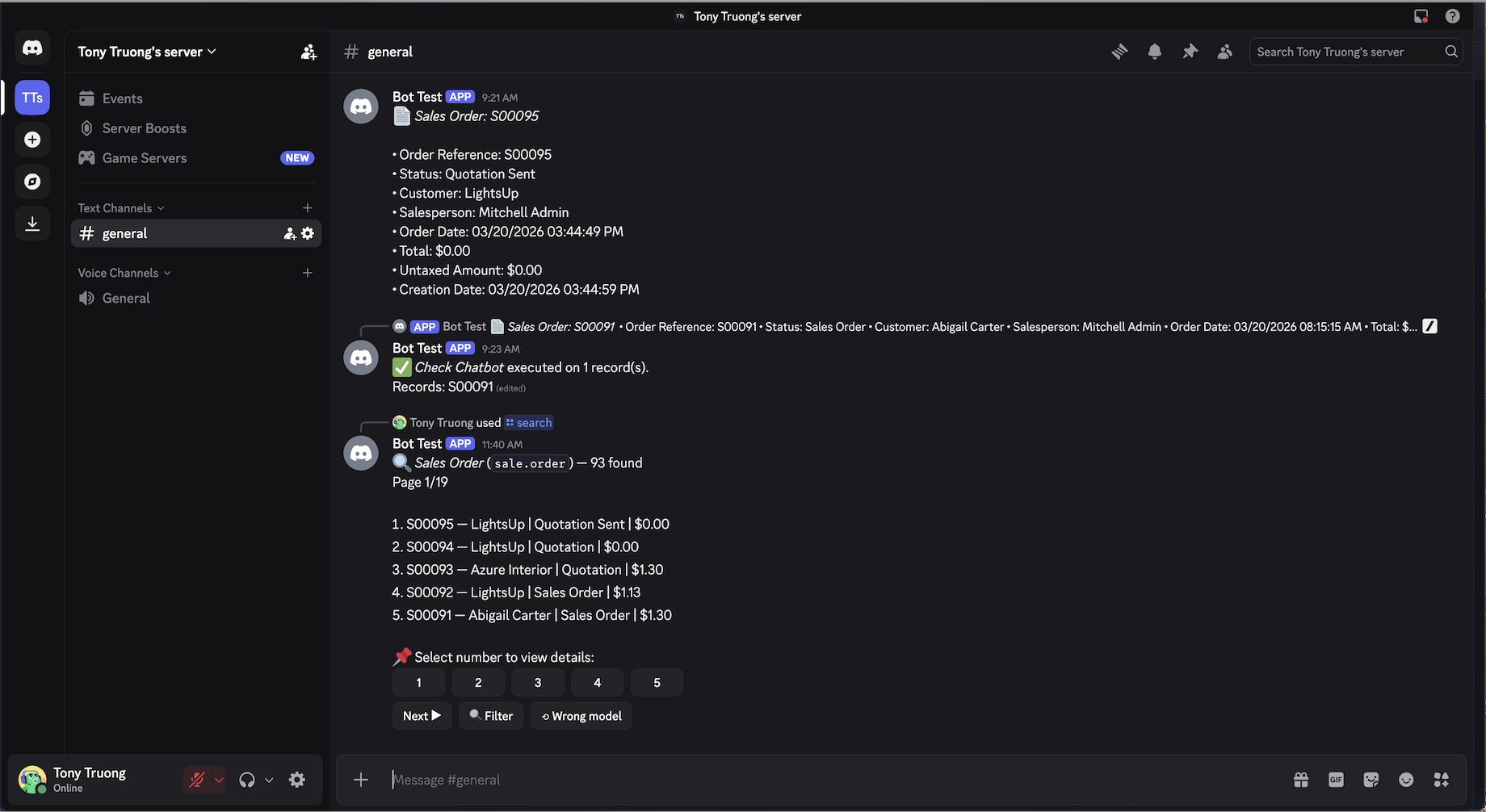
Discord
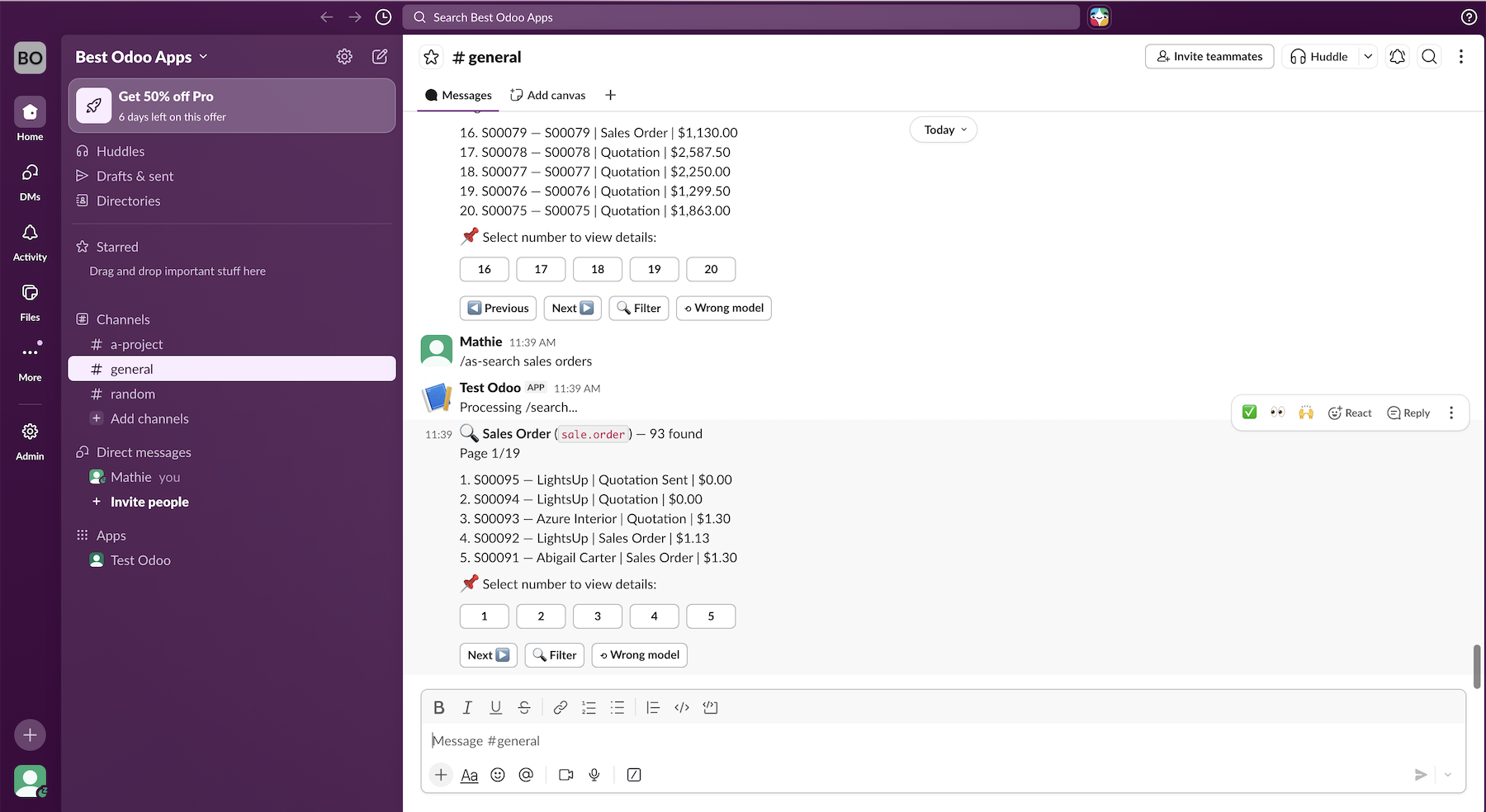
Slack
USE CASES
Real-world automation examples with messaging integration
SALES ORDER APPROVAL
INVOICE OVERDUE REMINDER
PURCHASE ORDER â MULTI-LEVEL APPROVAL
HELPDESK TICKET ESCALATION
CHATBOT â SEARCH & RUN FROM CHAT
VISUAL FLOW BUILDER
Design complex automations with drag & drop
ACTION
Send email, create records, call APIs, generate PDFs, execute Python code
CONDITION
If/Else branching with domain filters or Python expressions
SWITCH
Multi-way routing based on field values or custom logic
APPROVAL
Wait for approval via Odoo activity or external messaging app
SEND MESSAGE
Send notifications to users via Telegram, Discord, Slack
LOOP + DELAY
Iterate records, wait hours/days, schedule follow-ups
MORE FEATURES
- Error Handler with auto-retry
- Template rendering: {{field_name}}
- Async sending â no UI blocking
- Execution logs with step-by-step details
- Retry failed automations with 1 click
- Real-time status updates via WebSocket
APPROVAL FLOW
Approve or reject directly from your favorite messaging app
- Multiple approvers (users + groups)
- Only authorized users can approve
- Via Odoo Activity or External App
- Sends to private chat + group
- Flow resumes automatically after approval
Example: Sales Order Approval
1. Sales order confirmed → triggers automation
2. Flow sends approval request to managers
3. Manager clicks Approve on Telegram/Discord/Slack
4. Flow continues → sends confirmation email
AI CHATBOT ENGINE
Search, view, count, run automations â all from chat
COMMANDS
- /search — Find records by natural language
- /view — View record details
- /count — Count records with filters
- /run — Run automation on records
- /menu — Interactive menu system
- /help — Show all commands
NATURAL LANGUAGE
- "find sales orders total > 1000"
- "count invoices state=draft"
- "run automation on purchase orders"
- Auto-detect model, field, operator, value
- Stem matching: "orders" = "order"
- Cumulative filters: search → add filter → refine
INTERACTIVE UI
- Inline buttons for record selection
- Pagination: Next, Previous
- Edit message instead of spam
- Modal forms for search input
- Custom chatbot menus
- User roles & permissions
MESSAGING CHANNELS
Connect Odoo to your team's favorite messaging platform
TELEGRAM
Webhook + Polling
Inline Buttons
Chatbot + Approval
DISCORD
Slash Commands
Buttons + Modals
Chatbot + Approval
SLACK
Events API + Commands
Block Kit Buttons
Chatbot + Approval
MS TEAMS
COMING SOONMESSENGER
COMING SOONLINE
COMING SOONSHARED FEATURES
- Broadcast to all verified users or specific groups
- DM (private message) to individual users
- Approval buttons (Approve/Reject)
- Async sending â no UI blocking
- Setup guide built into Studio UI
- Email verification for user linking
STUDIO INTERFACE
Everything in one place
HOME
Dashboard & stats
AUTOMATIONS
Flow builder & config
CHATBOT
Menus, keywords, users
CHANNELS
Setup & manage
- Dark / Light mode
- Fullscreen mode
- Persists state across page reload
- Built-in setup guides per platform
CONTACT US
Have questions? Need a demo? Get in touch!
AUTOMATIONS STUDIO
Automate everything. Chat everywhere.
LGPL Version 3
This software and associated files (the "Software") may only be used (executed,
modified, executed after modifications) if you have purchased a valid license
from the authors, typically via Odoo Apps, or if you have received a written
agreement from the authors of the Software (see the COPYRIGHT file).
You may develop Odoo modules that use the Software as a library (typically
by depending on it, importing it and using its resources), but without copying
any source code or material from the Software. You may distribute those
modules under the license of your choice, provided that this license is
compatible with the terms of the Odoo Proprietary License (For example:
LGPL, MIT, or proprietary licenses similar to this one).
It is forbidden to publish, distribute, sublicense, or sell copies of the Software
or modified copies of the Software.
The above copyright notice and this permission notice must be included in all
copies or substantial portions of the Software.
THE SOFTWARE IS PROVIDED "AS IS", WITHOUT WARRANTY OF ANY KIND, EXPRESS OR
IMPLIED, INCLUDING BUT NOT LIMITED TO THE WARRANTIES OF MERCHANTABILITY,
FITNESS FOR A PARTICULAR PURPOSE AND NONINFRINGEMENT.
IN NO EVENT SHALL THE AUTHORS OR COPYRIGHT HOLDERS BE LIABLE FOR ANY CLAIM,
DAMAGES OR OTHER LIABILITY, WHETHER IN AN ACTION OF CONTRACT, TORT OR OTHERWISE,
ARISING FROM, OUT OF OR IN CONNECTION WITH THE SOFTWARE OR THE USE OR OTHER
DEALINGS IN THE SOFTWARE.